
Why the Checkout Page Is Where Deals Go to Die

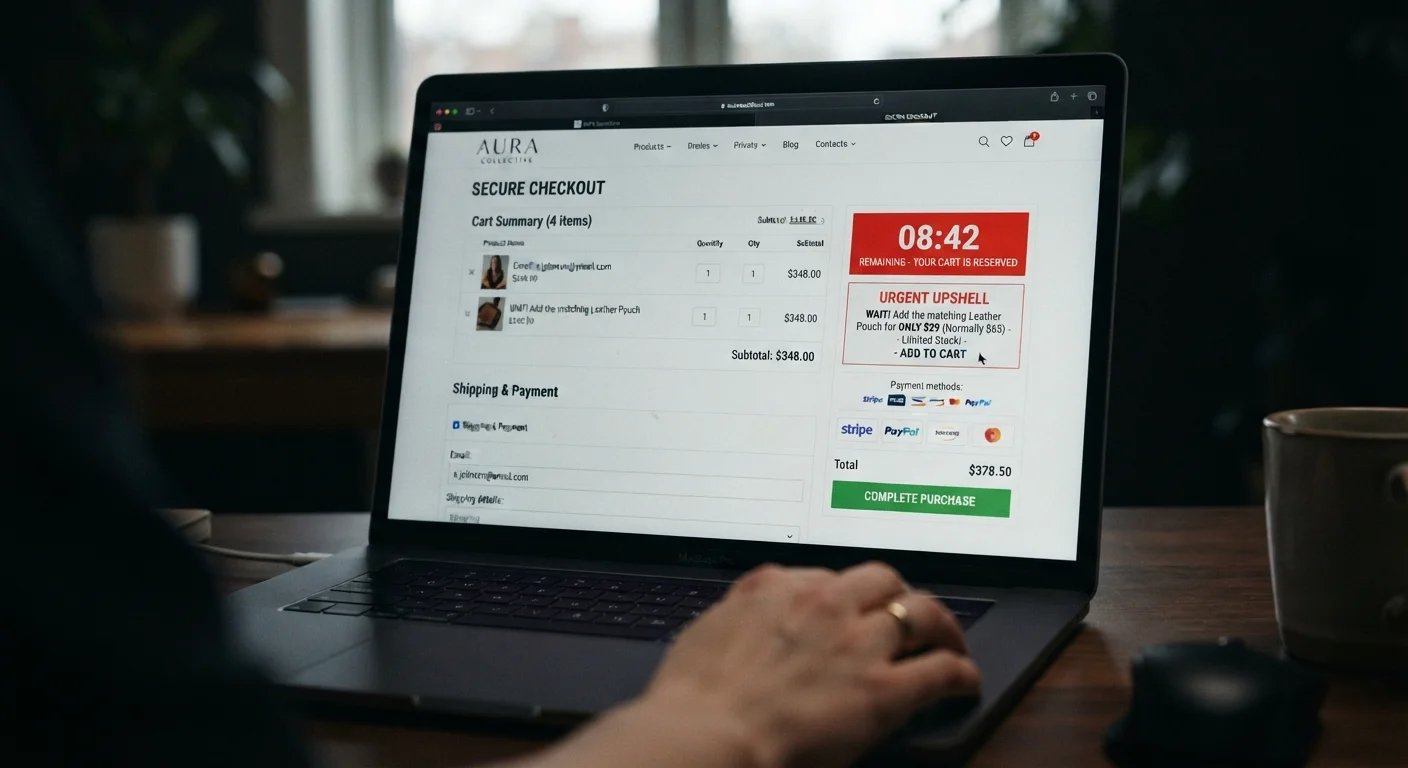
Photo: AnswersSquad.com | Explore Insightful Blogs editorial
Key Takeaways
- Checkout pages use deliberate design patterns to increase your final order total beyond your original intent.
- Pre-checked add-ons, urgency timers, and protection plans are among the most common profit-padding tactics.
- Pausing before confirming an order — even briefly — can prevent impulse spending that erases earlier savings.
- Running a quick pre-purchase checklist before clicking 'buy' is one of the most effective spending habits you can build.
The Last-Mile Problem in Online Shopping
You found what you needed, compared a few options, maybe even used a coupon code. By the time you reach checkout, the hard work feels done. That's exactly when retailers know you're most vulnerable to spending more than you planned.
Checkout pages are engineered environments. Every element — the layout, the defaults, the phrasing — is deliberately arranged to maximize revenue per session. That's not cynicism; it's how conversion-rate optimization works in e-commerce. Understanding the specific mechanics puts you back in control. See our guide to evaluating whether a deal is genuinely worth taking for context on how perceived savings get constructed before you even reach this point.
Accepting pre-checked add-ons without noticing them.
Purchasing warranty or protection plans at checkout without comparing alternatives.
Letting urgency timers rush the final review.
Adding items to reach a free-shipping threshold without checking whether the math works out.
Skipping the order summary line by line because it feels like a formality.
How to Hold the Line at Checkout
Awareness is the first layer of defense, but it isn't enough on its own. The following habits help make the checkout stage systematic rather than reactive.
~70%
Average online cart abandonment rate
Research aggregated by the Baymard Institute consistently finds that roughly 70% of online shopping carts are abandoned before purchase, indicating how often shoppers reconsider late in the process.
~47%
Shoppers who cite unexpected costs as top abandonment reason
Baymard Institute research identifies unexpected extra costs at checkout — shipping, taxes, and fees — as the single most common reason shoppers abandon an order.
Treat the order summary as a receipt, not a formality. Before entering payment details, scroll the full summary and read every line item. Question anything you didn't consciously add. If a fee or add-on wasn't part of your decision to buy, decide actively whether it should be — don't let it ride by default.
Ignore countdown timers unless you have independent reason to believe stock is limited. A timer that resets when you reload the page is a UI element, not a real constraint. Don't let it shorten your review window.
Open a second tab. Before confirming, quickly verify the final price against competitor listings or the item's price history if you have a browser extension that tracks it. A 90-second check can confirm you're not paying a quietly inflated price.
For a structured approach to everything that should happen before you click confirm, the pre-purchase savings checklist walks through each step in sequence. And if you want a broader framework for shopping safely and confidently online, the Online Shopping Smarts hub covers the full range of tactics worth knowing.
Free Trials Bundled at Checkout
The content provided on our blog site traverses numerous categories, offering readers valuable and practical information. Readers can use the editorial team’s research and data to gain more insights into their topics of interest. However, they are requested not to treat the articles as conclusive. The website team cannot be held responsible for differences in data or inaccuracies found across other platforms. Please also note that the site might also miss out on various schemes and offers available that the readers may find more beneficial than the ones we cover.